Handy software package to lock smartphone applications
App Lock and Gallery Vault is a great software bundle if you have been looking for an effective method of locking your applications so they cannot be accessed by others. This is perfect if you often use your mobile phone in public places or if it is employed within a work environment. There are numerous user-friendly options and its levels of security are quite robust. It can be used in conjunction with most modern operating systems.
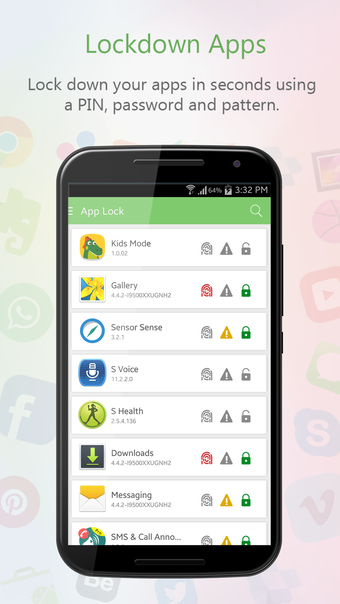
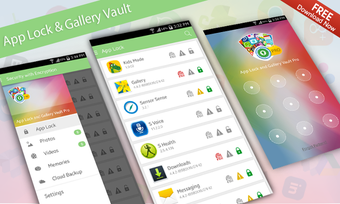
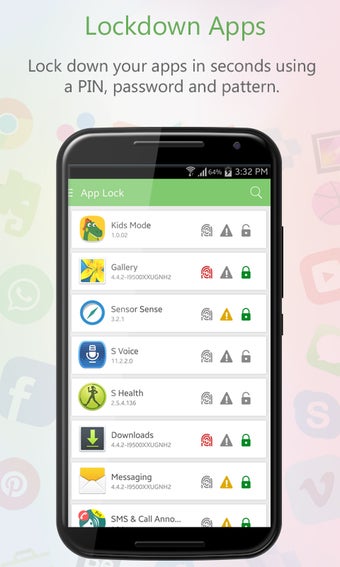
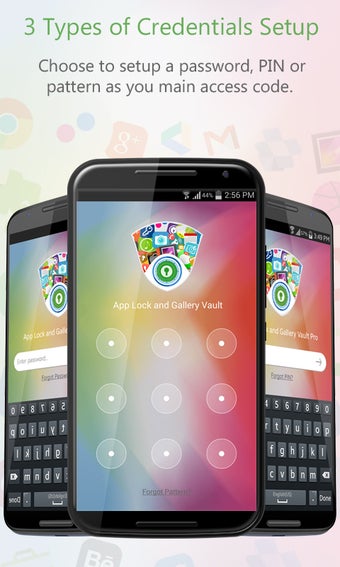
App Lock and Gallery Vault offers three different methods to lock applications. These are a personal identification number, a dedicated password or a form of swiping pattern recognition through the use of a touchscreen. All basic apps can be locked while it is also possible to secure any downloads such as Instagram or WhatsApp. Private photos and videos can likewise be protected in this same manner.
Other Tools
There are a handful of advanced security features associated with App Lock and Gallery Vault. Fast encryption and decryption techniques will allow files to be accessed in only seconds. Fake logins can be created while it is even possible to hide the icon of this application. Therefore, users will never know that it is active. It also offers a basic built-in video player.
Pros
This application utilizes advanced encryption methods
There are three different ways to set login details
Cons
Some users have complained that not all applications can be locked
It can be problematic to retrieve a lost password or PIN code
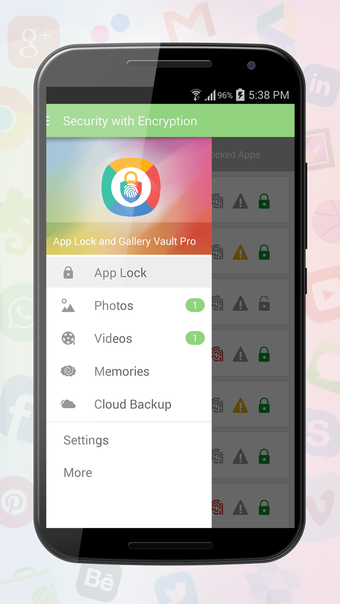
App Lock & Gallery Vault is a privacy and security app designed to protect your personal apps, photos, and videos from unauthorized access. Lock apps such as WhatsApp, Facebook, Messenger, Gmail, Gallery, Contacts, Settings, and more with a PIN, pattern, or password.
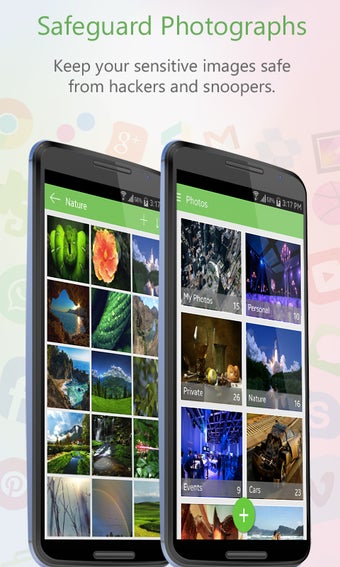
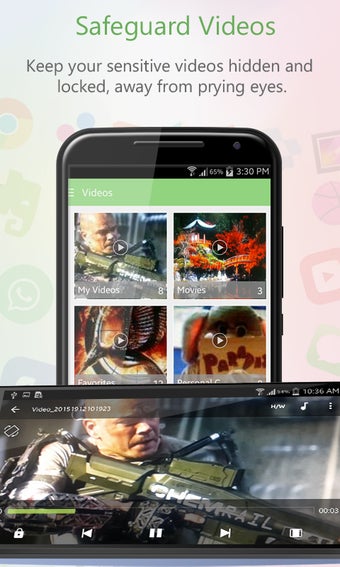
The app also provides a secure vault for hiding and encrypting private photos and videos. Import your personal media from your device gallery or SD card and keep it protected inside the secure vault. You can organize your private content into custom albums and view your protected photos and videos directly within the app.
Key Features
Lock Any App: Protect individual apps with a PIN, pattern, or password.
Private Photo & Video Vault: Hide and encrypt personal photos and videos.
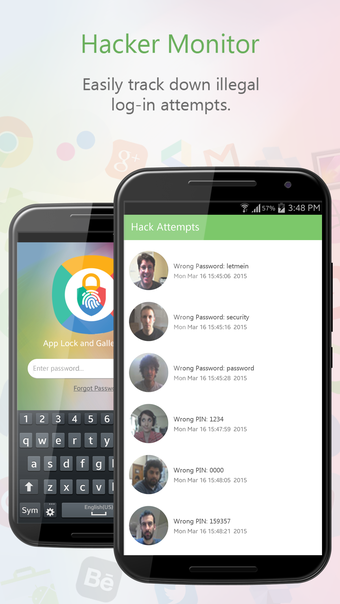
Intruder Selfie: Capture a photo of someone who repeatedly attempts to access your protected content.
Panic Switch: Quickly switch away from the app using a shake, flick, or screen-cover action.
Decoy Mode: Create a fake vault for added privacy when you need to unlock the app in front of others.
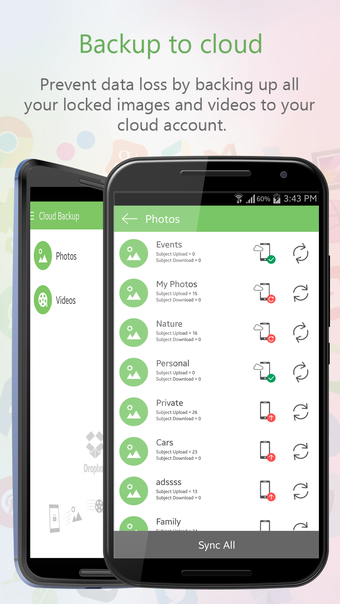
Cloud Backup: Back up your protected photos and videos to Dropbox.
Secure Media Viewer: View your private photos and videos within the protected environment.
Built-in Media Player: Play protected videos without moving them back to your regular gallery.
Secure Browser: Browse and download content privately within the app.
Custom Albums: Organize your protected photos and videos for easier access.
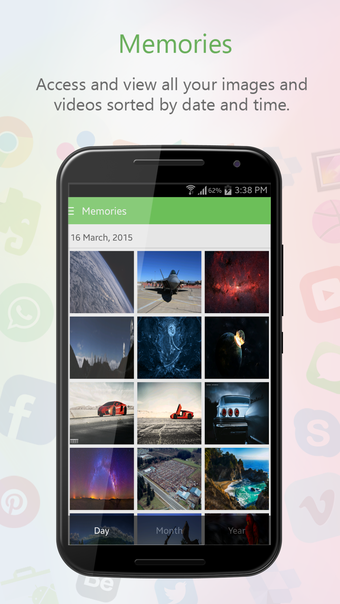
Timeline & Slideshow: Browse your memories by date and enjoy them using slideshow support.
Data Recovery: Recover accidentally deleted protected media when recovery is available.
App Lock & Gallery Vault combines app protection with a private media vault in one easy-to-use application. Whether you want to lock social media apps, protect personal memories, or keep sensitive videos away from unauthorized viewers, it gives you convenient tools to take control of your privacy.
Download App Lock & Gallery Vault and keep your apps, photos, and videos protected on your Android device.
Loading…
About permissions
Before downloading, you can take a quick look at the permissions this app may request on your device. App permissions allow certain features to work properly, such as accessing your camera to take photos, your location for maps, or your storage to save files.
In this section, you’ll find a clear and simple overview of the types of permissions the app uses, grouped by their level of sensitivity, along with a visual breakdown to help you understand them at a glance. This way, you can see how the app interacts with your device and decide to download with confidence.
Permissions types
Standard
35%
Non-standard
35%
Sensitive
30%
Permissions distribution
Privacy
39%
Data collected
43%
Data shared
17%
Data safety info
Privacy
9 permissions
Permissions that allow the app to access personal or sensitive information stored on your device, such as location, contacts, camera, or microphone.
android.permission.USE_FINGERPRINT
Sensitive
android.permission.RECEIVE_BOOT_COMPLETED
Standard
android.permission.WRITE_SETTINGS
Non-standard
android.permission.READ_PHONE_STATE
Sensitive
android.permission.FOREGROUND_SERVICE
Standard
android.permission.VIBRATE
Standard
android.permission.SYSTEM_ALERT_WINDOW
Non-standard
android.permission.KILL_BACKGROUND_PROCESSES
Non-standard
android.permission.WAKE_LOCK
Standard
Data collected
10 permissions
Information the app may gather from your device or usage activity to enable features, personalize content, and improve overall performance.
android.permission.READ_LOGS
Non-standard
android.permission.QUERY_ALL_PACKAGES
Non-standard
android.permission.ACCESS_WIFI_STATE
Standard
android.permission.PACKAGE_USAGE_STATS
Non-standard
android.permission.ACCESS_NETWORK_STATE
Standard
android.permission.GET_TASKS
Non-standard
android.permission.MANAGE_EXTERNAL_STORAGE
Non-standard
android.permission.READ_EXTERNAL_STORAGE
Sensitive
android.permission.CAMERA
Sensitive
android.permission.RECORD_AUDIO
Sensitive
Data shared
4 permissions
Information that may be shared with trusted third parties to provide services, support app functionality, or deliver relevant content.
android.permission.INTERNET
Standard
android.permission.WRITE_EXTERNAL_STORAGE
Sensitive
android.permission.POST_NOTIFICATIONS
Sensitive
android.permission.CHANGE_WIFI_STATE
Standard
This report summarises the permissions declared by the app at the time of scanning and groups them into Privacy, Data collected and Data shared. A declared permission shows what the app can access, it does not necessarily mean personal data is collected or transmitted. For full details check the app’s privacy policy and the developer’s clarifications shown below. Softonic generates this report automatically from the package metadata; it is informational and not a substitute for a full security or privacy audit.
Laws concerning the use of this software vary from country to country. We do not encourage or condone the use of this program if it is in violation of these laws. Softonic may receive a referral fee if you click or buy any of the products featured here.